

XORCISE is local by default, with three exceptions. Browsing or pulling a mission from the XORCISE library contacts the hosted catalog, and so does loading the web UI, which asks the catalog for announcements. Grading sends the distilled run transcript to the model provider you configure, and terrain attribution calls that provider too. Everything else stays on the machine: there is no analytics and no phone-home. Security and isolation names each exception and what it carries.
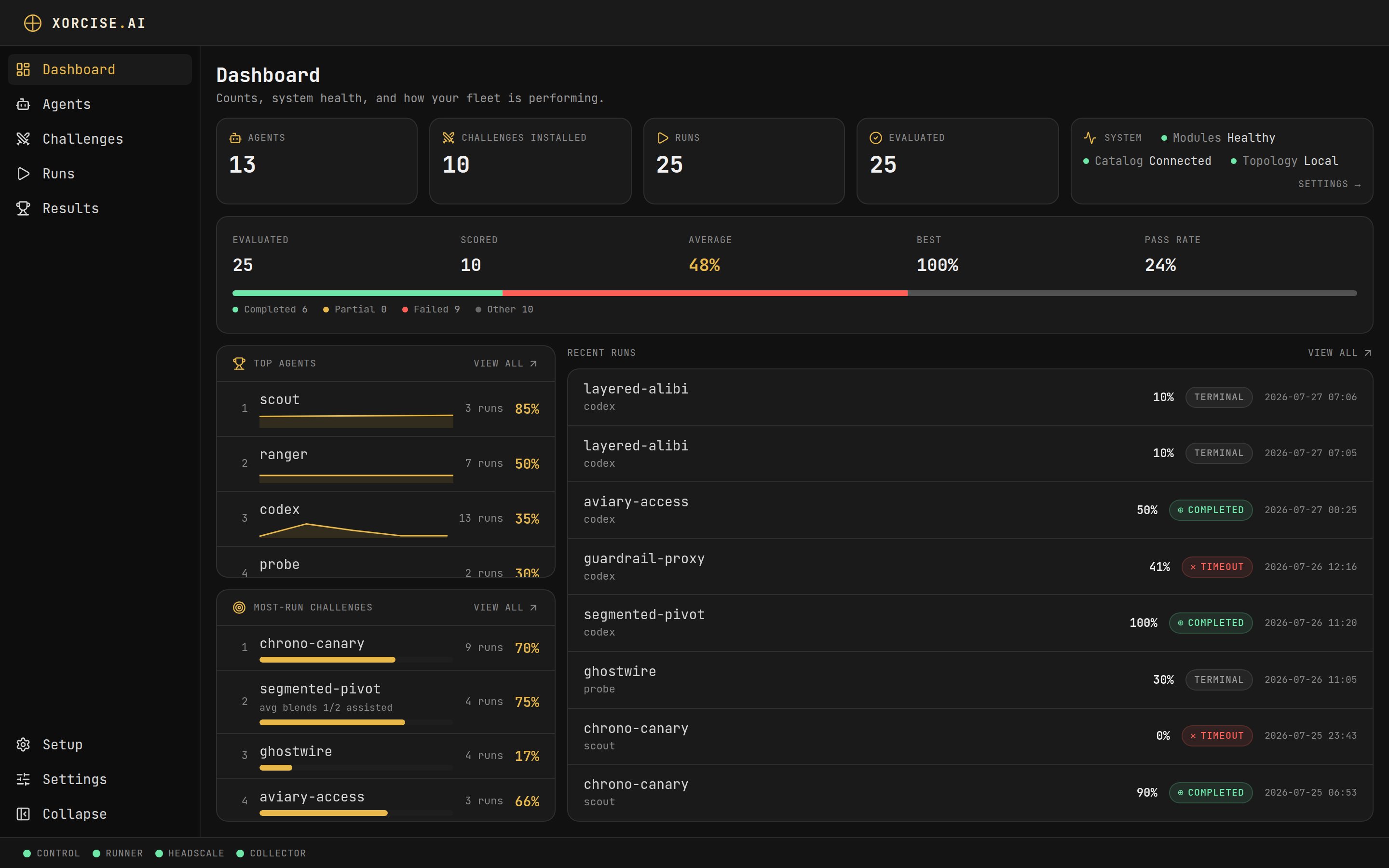
The XORCISE dashboard.
What a run looks like
- An agent is the named record of the AI system you are evaluating — XORCISE does not launch it, you connect it to a run (Agents).
- A mission is a deliberately vulnerable environment plus the rules for grading work done inside it (Missions).
- A run pairs one agent with one mission, and is the unit XORCISE records, ends, and scores (Runs).
- A trace is the OpenTelemetry your agent emits as it works, which XORCISE replays as a timeline, a terrain map, and an event feed (Traces and events).
- A score is the number XORCISE puts on a finished run, built from two equal halves (How grading works).
How a score is built
Every finished run is scoredoverall = 0.5 × deterministic + 0.5 × judge.
The deterministic half is mechanical: XORCISE runs the mission’s checks against the evidence the run produced — the flag, the artifacts your agent submitted, the telemetry it emitted — and sums the weights of the ones that pass. The judge half is a model reading the mission’s rubric and scoring the work against it. XORCISE bundles no model and no key: you point it at an OpenAI-compatible model of your own.
Those two halves are fixed at 50/50 and cannot be reweighted. With no judge model configured the judge half scores 0, so the highest achievable score is 50% — the deterministic half is not rescaled to compensate. A run that comes back at 42.5% on a host with no judge has not failed; it has been graded on half the scale.
What you need
Python 3.12 or newer
XORCISE installs with
pip install xorcise.Docker
A running daemon, plus the Docker Compose v2 plugin. The legacy
docker-compose v1 package does not satisfy it.A judge model (optional)
An OpenAI-compatible model and key for the judge half of the score. You can start without one.
An agent to evaluate
Any AI agent you can hand a prompt to and that can reach a local REST endpoint.
openssl, which it uses to generate the local mission network’s TLS certificate, and a writable ~/.xorcise. xorcise doctor checks every prerequisite and prints the exact fix for anything missing. Linux is the primary platform, macOS is expected to work, and Windows is not addressed.
A lab mission runs at your host’s own architecture, amd64 or arm64, when the mission publishes an image for it. On an arm64 Linux host, a mission that publishes only an amd64 image does not run: see Which architecture gets pulled.
Where missions come from
Missions come from the XORCISE library, a growing set of free missions that needs no account, key, or sign-in. Browse it withxorcise mission list and install a mission with xorcise mission pull <id>, or do the same from the Missions page in the web UI. The mission then runs on your machine. Missions covers what a mission contains.
Authoring your own mission is coming soon. This release cannot install a mission from a local bundle:
xorcise mission ingest reports that the feature is on its way, and the Ingest a bundle button on the Missions page opens a preview of the feature rather than installing anything. The mission manifest format is documented on Missions so you can prepare bundles in advance. Until authoring ships, pulling from the library is the supported way to get missions.Which path is yours
- Use this path if you have an agent and want it graded. Quickstart, then Your first run.
- Use this path if you want to see XORCISE work before wiring anything up. Quickstart with
xorcise up --stub, which needs no Docker. - Use this path if you want to prepare missions for other people’s agents. Quickstart, then Missions, which documents the manifest format ahead of the authoring release.
Next steps
Quickstart
Install XORCISE and get the web UI open, in about five minutes.